

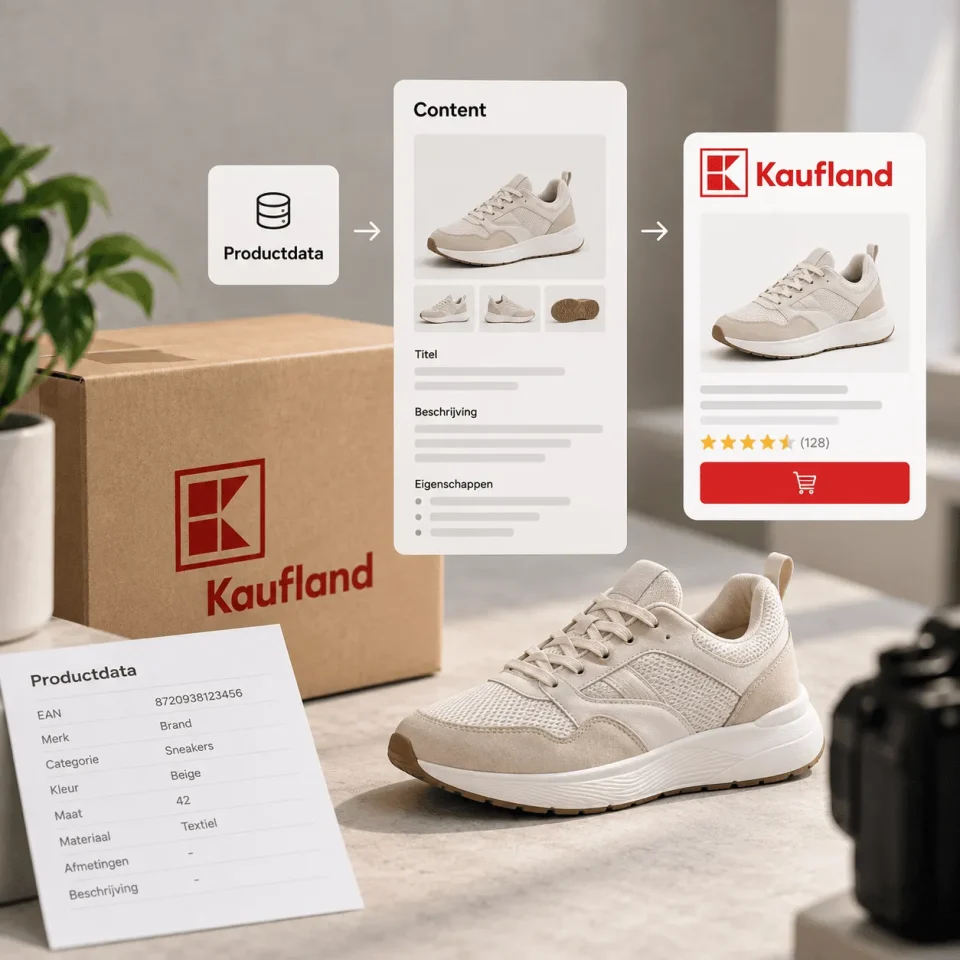
From Kaufland product data to repeatable content output
Automating Kaufland product content is not just about a link with your web shop, PIM or feed manager. That technology can move products around, but it does not automatically make your product information ready to sell. The real question is: how do you translate product data, images and copy faster into listings that are complete, consistent and true enough to your brand?
For many e-commerce entrepreneurs, Kaufland starts as an extra marketplace alongside Bol, Amazon or their own web shop. You can often still get the first products live by hand. But as soon as your range grows, the work becomes harder to keep track of. Attributes have to be right, images have to be in the correct order, variants have to be linked logically and descriptions have to give enough information without being rewritten every time.
That is exactly where automation pays off. Not by handing over quality thinking entirely, but by standardising the route from product data to product content. You do not want every new product to go through the same loose discussions each time. Which title structure do we use? Which features belong in the images? Which claims can come back? Which fields must be complete before design or copy starts?
That is why at BrandMonks we look at Kaufland content automation as a content workflow. The foundation consists of product data, channel rules, image roles, templates, copy blocks and quality control. When those layers are in place, automation can help get first versions ready faster and flag errors earlier.
If you first want to understand the optimisation side of individual listings, also read our guide on Kaufland listing optimisation. This blog takes a step back in the workflow: how do you set up the process so that lots of Kaufland listings can be created faster and more consistently?
Why Kaufland automation often starts in the wrong place
Many companies start with the tool question. Which Kaufland integration do we need? Can we sync stock? Can orders come in automatically? Can we upload product data via CSV or API? Those are logical questions, but they mainly solve publishing and operations. They do not automatically solve the content problem.
An integration can push through an empty or messy field just as easily as a good one. A CSV can contain hundreds of products, but if material, size, colour, use and product benefits are filled in inconsistently, what you mainly scale is correction work. An API can be fast, but speed does not help much if your image set is still built differently for each SKU.
That is why it is important to distinguish between three kinds of automation:
- process automation, such as stock, orders, prices and shipping;
- data automation, such as product feeds, PIM fields, attribute mapping and exports;
- content automation, such as title drafts, image briefs, copy structures, templates and checks.
BrandMonks works mainly in that third layer, with a strong link to the second. We help e-commerce teams make their content output scalable. That means product data is not just passed on, but translated into sellable content: clear titles, useful descriptions, relevant visual hooks, consistent image roles and a recognisable brand style.
Without that layer, you often get an odd situation. Technically the team can publish more products, but creatively and in terms of content everything still grinds to a halt. Then you have a faster route to the same bottleneck. The better approach is to first decide what content structure Kaufland needs, and only then automate what is repeatable.
The content layers you can automate for Kaufland
Kaufland product content consists of several layers. Some you can largely automate, others still call for editing, design or a check on the content. The aim is not to take people out of the process, but to shift their time to decisions that really add value.
Product data and attribute structure
The foundation lies in product data. Think of EAN or GTIN, brand, product type, category, dimensions, material, colour, contents, compatibility, set contents and technical specifications. For Kaufland this matters because categories and attributes determine how products are placed, filtered and understood.
Automation helps here mainly with normalisation. Colour values are written in one way. Dimensions follow the same order. Material names are not copied differently per supplier. Variant information gets fixed fields. This means a copywriter or designer spends less time figuring out what the product actually is.
Title and short description
A title can often be built partly from data. Product type, brand, main feature and variant together form a first draft. Still, you need to be careful that automation does not lead to dry, bloated or unnatural titles. The title has to stay clear for the customer.
The short description can start from fixed blocks in the same way: what is the product, who is it for, what problem does it solve and which feature makes the choice easier? The output does not have to be final straight away. A good first version already saves a lot of time.
Image briefs and image roles
For BrandMonks in particular, this is an important layer. Automating Kaufland product images does not mean every image has to be created automatically. Above all, it means knowing per product type which images are needed and which information appears in which visual.
An image brief can largely be filled from product data. If dimensions matter, the product gets a size image. If the choice of material matters, the product gets a detail visual. If the context of use removes doubt, the listing gets a context image. If there are several variants, the range gets a fixed variant logic.
Copy blocks and claim checks
Many product descriptions consist of recurring parts: use, benefits, what’s in the box, care, compatibility, limitations and guarantees. By treating these parts as blocks, you can prepare copy faster without every listing becoming a completely new writing project.
Checking remains important. Claims have to be right, the tone of voice has to fit and the copy must not make a promise the product cannot keep. Automation makes the first draft faster; quality control decides whether the content is ready to publish.
From product feed to Kaufland listing workflow
Sending a product feed to Kaufland is something different from building a Kaufland listing workflow. A feed is usually a means of transport. A workflow describes how raw input is turned into channel-ready output.
A practical workflow starts with a source file or PIM in which product information is reliable. This is followed by a translation into Kaufland fields: category, attributes, title, description, images and any rich content. Then comes the content layer: which information belongs in text, which in images and which in both?
For larger ranges, it works well to create a content model per product group. Not every product needs the same structure. An electronic accessory, for example, calls for compatibility, specifications and instructions for use. A home product calls more for material, dimensions, a lifestyle image, colour consistency and styling context. A bundle calls for set contents, application and a comparison with buying the items separately.
Once that model is in place, you can apply automation to the repeatable steps. For example:
- checking whether mandatory fields are filled;
- generating title drafts from fixed rules;
- flagging missing attributes;
- preparing image briefs based on product type;
- filling copy blocks from product data;
- checking variants for naming and image order;
- creating a checklist before content goes to Kaufland.
This not only makes the workflow faster, it also makes it less dependent on memory. New team members have to guess less. External designers get better input. Copy becomes more consistent. And the e-commerce manager sees sooner where a batch is still getting stuck.
Automating Kaufland attributes without losing sight of the customer
Attributes quickly feel technical. Yet they matter commercially. They determine how products are found, compared and judged. A missing attribute can mean your product is harder to filter. A wrongly filled-in property can lead to disappointment, returns or extra customer questions.
Automating Kaufland attributes starts with a dictionary. By that we mean a fixed way of naming and filling in product properties. If one supplier uses “zwart”, another “Black” and a third “antraciet/zwart”, your workflow has to decide what the marketplace output will be. The same goes for materials, sizes, volumes, power ratings, quantities and compatibility.
Next, for each category you distinguish between mandatory attributes and attributes that are critical for sales. Mandatory means the platform needs them. Critical for sales means the customer needs them to choose without doubt. That second group is at least as important for content.
An example: for a wall shelf, dimensions, load capacity, material and mounting information are not just technical fields. They should also come back in the images or the text. For a phone holder, compatibility, mounting, adjustability and the context of use are important. If that information sits only deep in an attribute field, the customer may miss it. A good workflow therefore decides where information needs to become visible.
So automation should not end at “field filled”. The better check is: is the information usable for Kaufland and understandable for the customer? That is where the difference lies between uploading product data and automating product content.
Preparing images in bulk with fixed image roles
Automating Kaufland images is often taken too literally. The aim is not to let all creation happen without thought. The aim is to use fixed image roles per product group, so production becomes faster and more consistent.
A good image set usually has a recognisable function per image:
- main image: the product, immediately clear and neatly cut out;
- detail image: material, finish, connection or function up close;
- scale image: size, contents or proportions made visible;
- usage image: a context in which the customer understands the product;
- benefit image: the main decision criterion summarised visually;
- variant image: differences between sizes, colours or versions made clear.
When you define these roles up front, product data can drive the brief. Is there a dimension in the data? Then it can be prepared automatically in a size visual. Does a product come in several colours? Then the template gets a variant panel. Is assembly a frequently asked question? Then the image set gets an instructional visual.
This is where e-commerce entrepreneurs gain a lot from scale. Without fixed image roles, every batch has to be discussed again. With fixed roles, a designer can work much faster, especially when Figma components or listing templates are ready to go. The brand stays recognisable, while the output does not feel as if every product has been copied from exactly the same template.
That ties in with our broader approach to listing design templates. Templates are not a goal in themselves. They are a way to standardise visual choices, so you get more products over the same quality bar.
Quality control: the step that makes automation reliable
Automation without checks quickly becomes risky. Especially with marketplace content, where small mistakes can have a big effect. A wrong number, a missing limitation or an inconsistent image can lead straight to rejection, wrong expectations or returns.
That is why quality control belongs inside the workflow itself, not just at the end. Set up checks per layer:
Data check
Are mandatory fields filled? Are dimensions complete? Are the units right? Have the category and variant fields been chosen logically?
Content check
Is the title understandable? Does the description match the product? Are the benefits concrete enough? Are limitations stated honestly?
Visual check
Does the image set have fixed roles? Are size, material, use or variant shown clearly enough? Does the style suit the brand?
Channel check
Does the output suit Kaufland? Are fields not too long, too vague or too promotional? Are any specific elements missing that matter for this category?
Feedback check
What do you learn from rejections, customer questions, return reasons and performance? That information has to go back into your templates, data model and briefs. Otherwise the team keeps fixing the same mistakes.
As a result, the best workflows feel almost boring. Not because the content is simple, but because the process becomes predictable. Everyone knows when something is ready for the next step. That is where turnaround time really gets shorter.
Example workflow for Kaufland product content automation
The overview below shows how you can prepare Kaufland content in bulk without losing control.
| Step | Input | Output | Check |
|---|---|---|---|
| Collect product data | PIM, web shop, supplier, Excel or ERP | Clean source data per SKU | Missing fields, duplicate values and illogical units |
| Map Kaufland fields | Category, attributes, variants and identifiers | Channel-specific data structure | Mandatory attributes and properties critical for sales |
| Choose the content model | Product type, customer questions and return reasons | Fixed structure for title, copy and visuals | Does the model fit the buying decision? |
| Generate first content | Product data and fixed rules | Draft title, copy blocks and image brief | No incorrect claims or generic text |
| Produce the image set | Image roles, templates and product information | Main image, detail, scale, usage and benefit visuals | Are the order and brand consistency right? |
| Validate the listing | Complete content output | Kaufland listing ready to publish | Data, copy, images and channel rules checked |
| Process feedback | Rejections, customer questions, returns and performance | Improved rules and templates | Is the workflow getting smarter with each batch? |
When BrandMonks helps in this workflow
Automating Kaufland product content touches several disciplines. Part of it belongs to tooling: PIM, feed manager, marketplace integration or SaaS. Part of it belongs to content: structure, visuals, copy, templates and quality control. BrandMonks helps mainly with that second part.
In practice, that means we work with e-commerce teams to look at the content output that keeps coming back. Which product groups take a lot of time? Which image sets lack structure? Which information is in the data but not clear enough in the listing? Which copy blocks can be made repeatable? And where can Figma or a SaaS workflow shorten the turnaround time?
We then translate those choices into practical assets and ways of working: listing templates, Figma components, image briefs, copy formats, content checks and scalable product content models. That way automation is not just a technical promise, but a working content process.
That is also why this approach fits well within the broader cluster on product content for marketplaces. Bol, Amazon and Kaufland each have their own rules and emphases, but the underlying question is the same: how do you turn product data into consistent, sellable marketplace content faster?
For Kaufland, the emphasis is on reliable product data, complete attributes, a clear translation into categories, consistent image sets and a workflow that can handle batches. Once that foundation is in place, you can scale up much faster without every new listing feeling like a separate project.

Melle Sikma
Helmsman
melle@brandmonks.nl