

From product data to consistent Amazon content
Automating Amazon product content means setting up your product data, visuals, copy and checkpoints so that new listings are prepared properly, faster. The aim is not to publish as much content as possible without thinking, but to create better Amazon content in a repeatable way.
For e-commerce entrepreneurs, this becomes especially important as the range grows. You can still improve a single product page on Amazon by hand. But as soon as you combine several products, variants, marketplaces or languages, manual work becomes slow and error-prone. Titles differ per product, bullets follow no fixed logic, images are missing roles and A+ content is rebuilt from scratch every time.
That is why at BrandMonks we look at Amazon content as a workflow. Which product data leads? Which parts of the listing can you prepare from templates? Which images and A+ modules are needed to build trust? And where does human quality control need to stay in place, even when AI or automation creates the first version?
If you want to see the broader framework for marketplace content across Bol, Amazon and Kaufland first, read our guide on product content for marketplaces. This page is specifically about automating Amazon product content.
Automating Amazon is not automatically automating Amazon content
When it comes to automating Amazon, many teams immediately think of stock, pricing, advertising, orders, fulfilment or API integrations. Those are important processes, but they are not the same as automating content. Content automation is about what the customer sees, reads and understands on the product page.
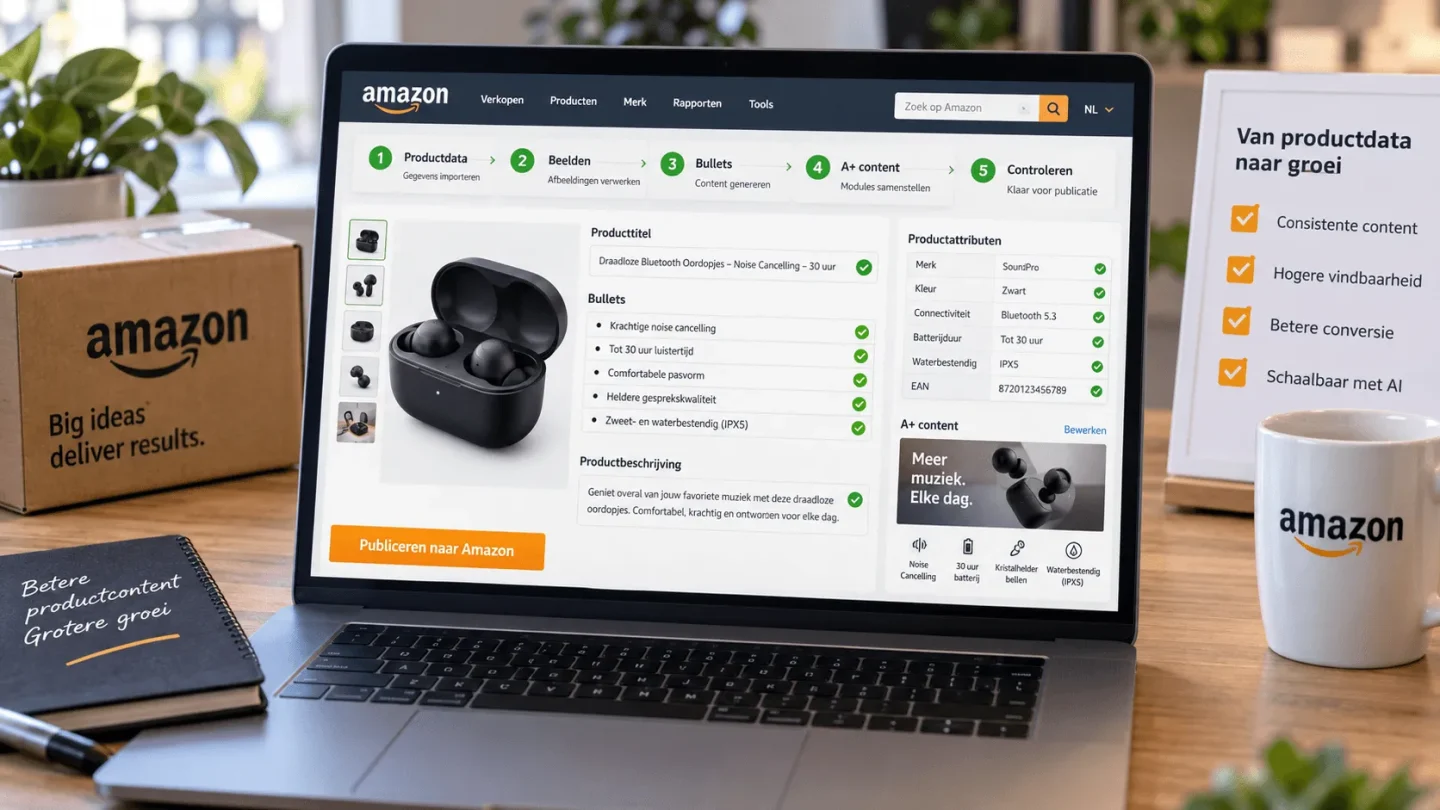
Amazon product content consists of several layers: title, bullets, product description, backend keywords, images, video, A+ content, attributes, parent-child variants and category data. Some layers are technical, others commercial or visual. It is precisely that combination that makes automation delicate.
A tool can help you fill fields faster, but it does not fix weak content logic. If the source data is incomplete, incomplete listings simply get produced faster. If you have not defined image roles, you do get lots of images, but no convincing order. And if A+ content is reinvented for every product, scalability stays limited.
That is why automating Amazon product content does not start with a button or an integration. It starts with a clear content structure.
Where Amazon content gets complex faster than Bol or Kaufland
Amazon has its own dynamics. The product page is strongly built around search intent, bullets, image order, reviews, variants, brand content and international scale. For brand owners, A+ content is often added on top. For larger ranges, there is parent-child logic too, where variants have to stay consistent under one main structure.
That does not necessarily make Amazon content harder than other marketplaces, but it does make it more sensitive to inconsistency. A title can look fine but give too little priority to product type and core benefit. Bullets can be filled in but mostly list specs. Images can look professional but fail to remove objections. A+ content can be beautiful but too disconnected from the rest of the listing.
Automation only works well when those parts fit together. The title sets the first expectation. Bullets make benefits scannable. Images prove what the text promises. A+ content adds extra context, brand story and comparison. Backend keywords and attributes support findability without cluttering the visible copy.
If you see Amazon content as separate fields, you automate fragments. If you see it as a decision path, you can scale much more smartly.
What you should and should not automate
Not every content step calls for the same type of work. Some steps are rule-driven and lend themselves well to automation. Others call for judgement, a feel for the brand and commercial priorities.
| Element | Easy to automate | Check deliberately |
|---|---|---|
| Product data | Filling fields, flagging missing values and preparing the category structure | Whether the information is sellable and clear enough |
| Titles | Creating first title variants from a fixed formula | Keyword order, readability and density of claims |
| Bullets | Generating draft bullets from benefits and specs | Whether each bullet removes a real purchase objection |
| Images | Planning image roles and preparing variant sets | Brand fit, order, clarity and realistic representation |
| A+ content | Setting up the module layout and first copy blocks | Story order, visual calm and brand consistency |
| Variants | Preparing the parent-child structure and variant fields | Whether variants are logically comparable for the customer |
| Validation | Checks for missing elements and fixed rules | Final judgement on persuasiveness, compliance and channel fit |
Product data, attributes and parent-child logic
Automating Amazon product content starts with data that is fit to work with. Product type, brand, material, dimensions, colour, size, contents, bundle, use case and supporting claims need to be clear enough to translate into visible content.
On Amazon, variant logic is extra important. Parent-child structures can help customers compare sizes, colours or versions at a glance. But if variant names, attributes, images and bullets do not follow the same logic, the product family gets messy. That leads to separate listings, confusion or extra repair work.
So work with fixed rules per product group. Which variant characteristics lead? Which information belongs at parent level and which belongs with the child products? Which images are generic for the range and which are variant-specific? Which claims apply to all variants and which only to a particular version?
This sounds detailed, but it is exactly where scalability comes from. If you define these rules up front, templates, AI drafts and bulk updates can work much more reliably.
Templates for titles, bullets and backend keywords
Amazon copy is easy to structure, as long as you do not pretend every product needs exactly the same story. A template should guide, not stifle.
For titles, you can work with a fixed order: product type, main feature, brand or line, relevant variant information and possibly the context of use. The exact order differs per category, but the principle stays the same: clarity first, then differentiation.
For bullets, a fixed division of roles often works better than loose benefits. Think of one bullet for the core benefit, one for use, one for material or quality, one for size or compatibility and one for contents or application. That way you avoid five bullets saying the same thing in different words.
Backend keywords, on the other hand, call for restraint. They are meant to cover relevant search variants that do not fit naturally into the visible copy. Automation can help prepare keyword lists, but they must always be filtered for relevance. Irrelevant terms attract traffic that does not fit and can weaken listing quality.
If you want to go deeper into optimising the content of an existing Amazon listing, our guide on Amazon listing optimisation is a better fit. This page is mainly about preparing Amazon content in a scalable way.
Product images and A+ content as a system
Automating Amazon product content is not just about text. It is often the visual layer that decides whether a customer keeps reading. Images and A+ content need to form a logical route together: first understanding the product, then trust, then detail and comparison.
That is why at BrandMonks we work with image roles. Not every listing needs exactly the same set, but the function of each image must be clear. A main image has to make the product instantly recognisable. A detail image shows material, finish or function. A size image prevents wrong expectations. A usage image shows context. A benefit image makes a buying argument concrete.
A+ content can add extra depth to that. Think of brand context, product comparison, usage steps, the story behind the material, FAQ-style explanations or a range overview. But A+ content only works well if it ties in with the listing above it. If the title, bullets and images tell a different story from the A+ modules, you create noise.
That is why a listing design template is valuable. Not as a decorative design, but as a repeatable structure for product ranges. In Figma you can use fixed components, styles and content roles, so variants are worked out faster and more consistently.
Bulk updates without losing your brand consistency
Working in bulk on Amazon is attractive, but dangerous if the content rules are not sharp. A change in material, size, packaging or claim can affect many listings. If you do not know where that information appears, inconsistency between title, bullets, images and A+ content creeps in fast.
A scalable workflow therefore records which data drives which content blocks. If a specification changes, you know which lines of text, visual modules and variant images need checking. If a product line changes, you know which parent-child structure and comparison content are affected.
For larger range updates, this is vital. Without a system, bulk updates become manual searches. With a system, they become controlled rounds of changes. You publish faster, but keep sight of quality.
This ties in directly with making product content scalable. The point is not that everything has to be automatic. The point is that the same product truth is reliably translated into several visible outputs.
Using AI without lowering your quality bar
AI can add a lot of value to Amazon product content. It can create first title variants, structure bullets, draft product descriptions, prepare A+ copy or flag missing fields. Especially with large product ranges, that can save a lot of time.
But AI works best within clear boundaries. Without brand rules, claim rules, product data and image roles, you get output that is grammatically correct but commercially flat or too broad in content. You gain speed, but lose sharpness.
A good AI workflow therefore uses fixed input: product data, target audience, main buying arguments, supporting claims, forbidden claims, tone of voice and template block. This is followed by checks on three points. Is the content correct? Does the promise match the product? And does the order help the customer choose faster?
So AI is not a replacement for content strategy or design judgement. It speeds up predictable steps. And that is exactly what lets your team spend more attention on the decisions that really make a difference.
How BrandMonks approaches Amazon content automation
BrandMonks does not build stock, order or repricing automation for Amazon. Our role is in the visible output: product images, content structure, copy, A+ content, templates, Figma components and quality control.
In practice, that starts with a content model per product group. Which product data leads? Which images are mandatory? Which copy roles keep coming back? Which modules belong in A+ content? Which variant rules need to be fixed in advance?
We then translate that model into workable templates. Think of fixed image roles, components for infographics, copy blocks for bullets, modules for A+ content and checks for variant consistency. This creates a workflow in which new products become Amazon-ready faster, without every listing having to be reinvented.
The goal is not to put Amazon content live fully automatically. The goal is to shorten the turnaround time while keeping a firmer grip on brand consistency, visual quality and factual accuracy.
Conclusion: automate Amazon content as a controlled workflow
Automating Amazon product content works when you see it as a controlled workflow. Not as loose AI output, not as just a feed, and not as a replacement for brand and quality decisions.
The foundation consists of good product data, clear variant rules, templates for titles and bullets, image roles, A+ modules and fixed quality checks. When those elements are right, automation can take a lot of repetitive work off your hands. Amazon content is then prepared faster, worked out more consistently and easier to maintain.
For e-commerce entrepreneurs with growing ranges, that is the difference between building everything by hand again and again and a content process that grows with your products. BrandMonks helps with exactly that visible side: product images, templates, copy and workflows that get Amazon content ready faster and more consistently.
Want to set up your Amazon content workflow more sharply? Book an intake call with BrandMonks.

Melle Sikma
Helmsman
melle@brandmonks.nl