

AI product visuals for e-commerce: what they are and why brands use them to speed up
AI product visuals for e-commerce are not random AI pictures, but usable product images that help you sell, explain and scale faster.
The real gain is not in the tool itself, but in whether you can use AI to create visuals that are commercially right, stay consistent and fit your channels.
More and more e-commerce teams are looking at AI to roll out product images faster. Not only because production can be quicker, but also because ranges are getting bigger, campaigns are shorter-lived and product variants more often need visual support. Traditional production then quickly becomes slow or expensive if you have to plan, shoot or retouch again for every new visual.
Yet that is also where confusion arises straight away. For one person AI product visuals means a generated lifestyle image. For another it is about packshots, replacing backgrounds, rolling out variants or enriching product photos for several channels. As a result this topic often ends up online in tool comparisons or one-off experiments, while the real question is much more practical: when are AI product images usable for e-commerce, and how do you use them so they genuinely add something.
In this pillar we bring that whole field together. We show which types of AI product visuals exist, where they work well, where they go wrong and how to use them without losing quality. The sub-pages below then zoom in further on lifestyle images, packshots, scalability, consistency, AI as an alternative to product photos and rolling out variants.
Why AI product images in e-commerce are more than a one-off tool test
The biggest mistake around AI product visuals is that teams treat them as one-off output. A tool gets tested, a few prompts get tried and enthusiasm builds quickly as soon as something visually impressive rolls out. But e-commerce asks for something different from a nice first demo. An image must not only be attractive, but also handle product truth, brand fit, channel suitability and repeatability.
That is exactly why AI in e-commerce is not a toy for occasional creation, but a production question. Can you process several products with the same approach. Can you repeat image roles across collections. Can you check the output before it goes live. And does the team know when AI is smart and when another route works better. As long as those questions stay open, AI mainly delivers one-off wins instead of a workable system.
That difference becomes even clearer as soon as you have to roll out not a single product, but a whole line. Then it is no longer about whether a tool can make a decent image. Then it is about scaling up, keeping things consistent and making choices per use case. For that scaling question, scaling product visuals with AI is a logical companion. This pillar deliberately stays broader and sets out the whole field.
Which types of AI product visuals exist for your own shop and marketplaces
In e-commerce, AI product visuals can be roughly divided into a few recognisable categories. That division matters, because not every type of image has the same job.
The most common forms are:
- AI lifestyle images that show a product in context or in use
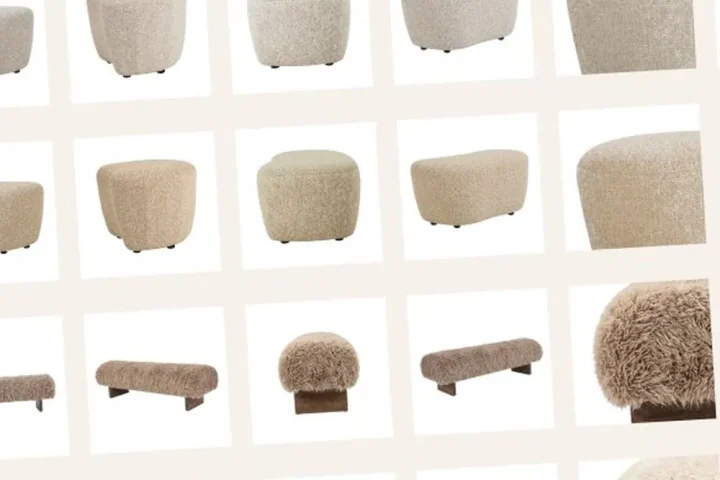
- AI packshots that make product images cleaner, more consistent or quicker to produce
- AI variants in which colour, version or product families are rolled out visually without a new shoot
- hybrid visuals in which source photography, AI and sometimes 3D are combined in the same product flow
- supporting visual layers such as backgrounds, settings, compositions or extra campaign variants
Lifestyle images are usually about context, experience and inspiration. There you want to see what a product looks like in an environment or situation of use. For that use case we go into more depth on AI lifestyle images for products.
Packshots are much more about clarity, repeatability and channel fit. Then you do not necessarily want more atmosphere, but a sharp and usable product image that scales quickly. We go into that in more depth in creating AI packshots.
With variants the gain lies somewhere else again. There you do not use AI mainly to create a new type of image, but to make the visual rollout faster as soon as colour, contents, bundle or version changes. For that route, rolling out variants visually without a new shoot is a logical companion.
So if you see AI product visuals only as a choice of style, you miss the point. It is less about a certain look and feel and more about the job the image has to do within e-commerce.
When AI works well for lifestyle images, packshots and variants
AI works best when the visual task is clear. For lifestyle images, AI is especially strong if you want to test and roll out context, atmosphere or experience of use faster. That is handy for campaigns, product detail pages, seasonal themes and additional content around a product. Especially when the basics of the product are already well defined, AI can speed up a lot in the context layer.
For packshots, AI works well when you have source images that are usable, but not yet at the right level or in the right setting. Then AI can help with cleaning up, standardising, adjusting backgrounds or getting output ready per channel faster. What AI does not automatically solve here is product truth. A packshot that looks better but distorts details does not help you commercially.
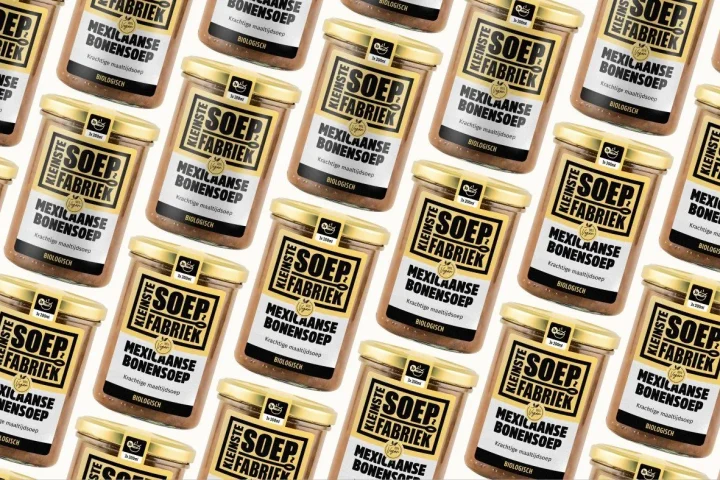
With variants the gain lies mainly in repeatability. Once a base image is in place, AI can help roll out new colour variants, packaging or product versions visually faster, without going back to the studio or set every time. That works especially well when the differences are systematic and the quality control stays tight.
So the skill is not in choosing AI as a general solution, but in choosing the right AI route per image task. That is exactly why lifestyle images, packshots and variants are split into separate sub-pages in this cluster. They may use similar technology, but they do not solve the same problem.
What AI product visuals deliver in speed, scale and cost
The appeal of AI product visuals is understandable. They can speed up production, make variation cheaper and lower the barrier to testing several visual directions. Where planning a traditional shoot often requires preparation, sample logistics, a studio, retouching and new rounds, AI can in many cases get from source material to usable output faster.
That delivers gains mainly in situations such as:
- making new product lines visible faster
- testing more campaign variants
- adding extra context images without a full reshoot
- rolling out product families more consistently
- going from source image to channel-specific output faster
But speed on its own is not the end goal. The real value only arises when AI combines that speed with control. Otherwise you trade production time for rounds of corrections, visual drift and channel problems. For that broader production and scaling question, scaling product visuals with AI is a logical companion.
Where AI product images go wrong without a quality framework
AI product images usually do not fail because the technology cannot do anything, but because the quality bar is missing. An output can look convincing at first sight and still be unusable. Think of material that looks slightly different from reality, packaging with distorted details, shadows that are off, illogical reflections or a setting that looks good but does not suit the brand or the product.
That risk grows as teams want to produce faster. The focus then shifts from checking content to visual speed. That is exactly where it goes wrong. An AI image that goes live commercially must not just look good. It must also be credible, match the real product and stay usable within a line of similar images.
That is why AI product visuals always need a human review moment. Not as a bureaucratic extra step, but as a check on product truth, brand fit and channel suitability. For a broad rollout across a range that becomes even more important. Then you do not want every new image to introduce a slightly different style, lighting or quality bar. For that control question, consistent product images for large ranges is a logical companion.
So AI only really speeds things up when quality control sits in the same system. Without that framework you shift the problem from slow production to unreliable output.
How AI product visuals differ for your own shop and marketplaces
AI images for e-commerce do not work the same way in every channel. On your own web shop or product environment you usually have more room to let context, atmosphere and brand experience play a part. There, AI lifestyle images, supporting settings and extra visual layers can do a lot for persuasion and differentiation.
On marketplaces it is different. There the space is often more functional, and main images and product clarity become more important than atmosphere or brand story. That does not mean AI plays no role there, but it does mean it has to be used more tightly. Less free interpretation, more focus on clarity, consistency and channel fit.
In practice this means the same source or AI workflow does not automatically deliver the same output for every channel. What works well as an inspiring context image in your own shop does not have to be usable as a main image or listing visual on a marketplace. That is why an e-commerce team should always judge AI output per channel and not just per creative idea.
That channel difference is exactly what makes AI product visuals interesting. Not because you can reuse the same image everywhere, but because you can build the right variants per channel faster when your system is right.
How to make AI product images scalable and consistent
Making AI product images scalable does not start with prompting, but with source material and fixed rules. The clearer your source images, references, image roles and quality criteria, the greater the chance that AI output stays usable across product groups. Without that basis, every new image becomes a separate interpretation again.
A workable approach usually contains fixed elements:
- clear source assets per product or product group
- agreed image roles per channel
- fixed quality checks on product details, colour, material and brand fit
- a review flow for exceptions and rejections
- reusable guidelines for styles, settings and output formats
This moves AI from one-off creation to a manageable image layer. That matters especially when you work with larger ranges, seasonal changes or lots of variants. Then you do not just want to create images faster, but also to repeat the same quality faster. For that operational side we go into more depth on scaling product visuals with AI and consistent product images for large ranges.
AI as an alternative to product photography: when it works and when it does not
The question of whether AI is an alternative to product photos is often put too absolutely. As if AI replaces product photography completely, or can never be serious enough. In practice the better question is: for which type of output is AI strong enough, and where does traditional production remain the better choice.
AI is often strong when you:
- need additional context images
- want to test or roll out more variants
- want to expand an existing image set faster
- want to go from source image to channel output faster
Traditional product photos often remain stronger when:
- product truth down to the last detail is a must
- material, reflection or finish must be exactly right
- a first high-quality base image set is still completely missing
- the visual claim must rest directly on demonstrably real shooting quality
There is also a hybrid route. Sometimes 3D renders or a combination of source photography, 3D and AI is the best solution. Especially with complex products, large ranges or technical variants, that mix often gives more control than a single image route.
For the in-depth treatment of this trade-off, AI as an alternative to product photography is a logical companion.
| Situation | AI product visuals | Traditional production | Best choice |
|---|---|---|---|
| Extra lifestyle images needed around an existing product | Fast, scalable and flexible | Slower and more expensive per variant | AI product visuals |
| Clean main image with high detail accuracy needed | Possible, but the quality check stays critical | Usually more reliable as a basis | Traditional production |
| Rolling out lots of variants without a new shoot | Very strong if the system is right | Slow for large numbers | AI product visuals |
| Complex product with technically critical details | Risk of deviations | More control over detail | Traditional production or hybrid |
| Large product group with repeatable visual logic | Strong for scaling up | More production-intensive | AI product visuals or hybrid |
| Testing a new brand visual language | Several directions possible quickly | Slower to iterate | AI product visuals |
From one-off AI images to a workable e-commerce workflow
As soon as teams want to use AI product visuals seriously, they need more than just a generator. Then the question arises of how source images, quality control, channel output and team alignment come together in a workflow that does not fall apart after three weeks.
A workable e-commerce flow usually looks roughly like this:
- you start with usable source assets or a clear product reference
- you decide per channel which image roles are needed
- you choose per use case whether AI, photography, 3D or hybrid production makes sense
- you generate or enrich images within fixed style and quality rules
- you check the output for product truth, brand fit and channel suitability
- you store approved output as a reusable system for the next rollout
It is in that workflow that all the sub-pages of this cluster come together. Lifestyle images, packshots, scale, consistency, alternatives to photography and variants are not separate topics. They are parts of the same image operation. Once you see that, AI is no longer a trick but a production accelerator with clear conditions.
Frequently asked questions about AI product visuals for e-commerce
What are AI product visuals for e-commerce?+
AI product visuals are product images that are created, enriched or scaled with AI for use in e-commerce. Think of lifestyle images, packshots, variants and supporting visuals for product environments.
Can you create product images with AI?+
Yes, but how usable they are depends on the type of image and the quality control. AI can speed up a lot, but not every output is automatically fit to go live without a check on product truth and brand fit.
How do you create product visuals with AI without losing quality?+
By working with good source images, fixed image roles, clear quality criteria and a review moment before images go live. Without that framework, AI output becomes inconsistent or unreliable more quickly.
When does AI work well for product visuals?+
Mainly when you need context images, extra variants, additional packshots or a scalable visual rollout faster. AI is strongest when the visual task is clear and production does not consist entirely of one-off experiments.
Is AI an alternative to product photos?+
Sometimes yes, sometimes no. AI can take over a lot in context, scale and variant production, but traditional product photography often remains stronger for detail-critical base images or situations where absolute product truth is needed.
How do you scale AI product images across a large range?+
By not just generating images, but building a system with source assets, fixed image roles, channel rules and quality control. Then scalable production becomes possible without the output drifting apart.
Conclusion: AI product visuals only really work when they fit into a system
AI product visuals for e-commerce only become commercially interesting when they deliver more than speed alone. They have to help roll out product images faster, more consistently and more smartly without losing product truth, brand fit and channel suitability. That is when you get real gains in production and in visible output.
That is also the difference between hype and a workable approach. It is not the tool that determines whether AI is usable, but the system around it. Want to translate that to your own image flow, channel output and product groups? Then book an intake call.

Melle Sikma
Helmsman
melle@brandmonks.nl