

Creating product images in bulk without losing quality
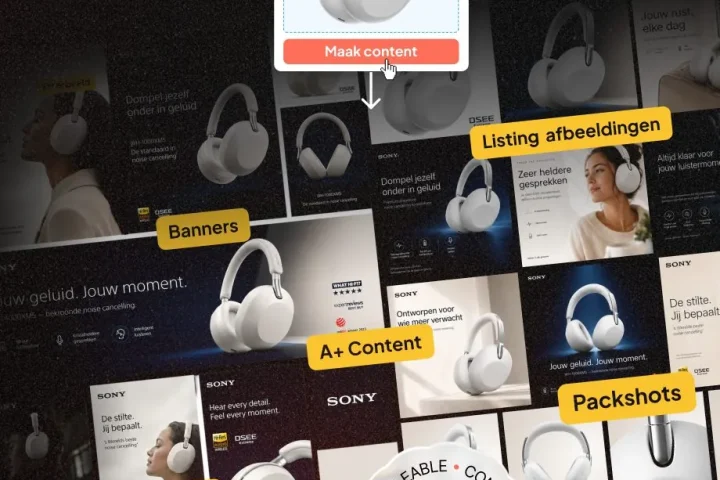
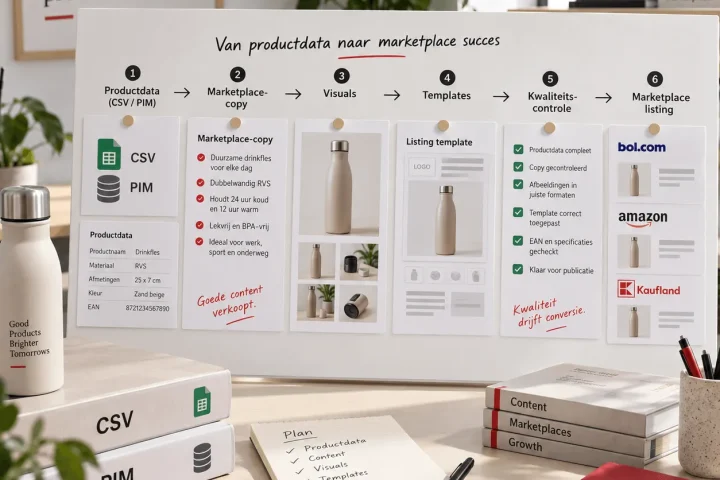
Creating product images in bulk means you can produce large numbers of visuals without putting pace, quality or brand consistency under pressure. So it is not just about working faster, but about a production system in which image choices stay repeatable, controllable and commercially useful.
This page is deliberately practical. Not as broad theory about content processes, but as a guide for teams that have to roll out lots of product images, listing images and variants. The central question is simple: how do you set up bulk production so that every new product does not become a separate design project all over again.
At BrandMonks we see that the gain here rarely starts with “more capacity”. The real acceleration comes when teams stick to fixed image logic, clear review limits and few exceptions. Then revision pressure drops, planning becomes more reliable and you can deliver more output without the quality fraying.
Want the broader framework behind this topic first? Then read e-commerce content systems. This page zooms in on the day-to-day execution of image production at scale.
Why bulk production of product images often gets stuck
Many teams start logically: a designer creates visuals per product, feedback comes in along the way and publication follows as soon as the set feels “good enough”. With a limited range, that still works. As soon as the number of SKUs, variants and channel versions grows, that approach becomes unpredictable.
The first signs are usually not subtle. Turnaround time per batch goes up, corrections keep coming back on the same points and similar products still get a different image structure. As a result, time is lost on alignment that should really have been settled earlier.
The problem then is not that too few images are being made. The problem is that the e-commerce product image workflow does not grow with the volume. Teams do produce more assets, but not from a stable image structure. Then the number of files grows faster than the quality of the system.
You see this quickly when creating listing images in bulk in particular. If the web shop, Bol and Amazon each get a different image logic without a clear foundation, duplicate production streams arise. That not only costs time, but also makes performance harder to compare.
Quick audit: where are you losing time and quality right now
Before you improve anything, you first need to establish where the friction really is. Many teams jump too quickly to tooling or extra production capacity, while the biggest leaks are often earlier in the chain. A short audit is therefore the fastest way to see where you are currently leaving margin on the table.
The first question is whether the input per product type is complete enough before production starts. If core claims, variants or image priorities are still shifting during production, the whole batch shifts with them. Then it looks as if the design phase is slow, while the source is actually unstable.
The second question is whether there is a fixed image structure per product family. Without such a structure, every item has to be built up and assessed again. That sounds flexible, but makes scale more expensive than necessary.
The third question is whether feedback after going live feeds back into the next batches. Without a fixed learning loop, teams keep repeating the same choices, even when performance or quality problems already argue against them.
| Audit focus | Typical leak | First correction |
|---|---|---|
| Input quality | Production starts with incomplete or conflicting product info | Set a fixed briefing threshold per product type |
| Image structure | Every product is built up from scratch again | Define a visual blueprint per product group |
| Feedback loop | The same mistakes return in later releases | Schedule a fixed review at batch level with a concrete follow-up action |
Product group first: a scalable model first, volume later
A common mistake is starting too broadly. Teams want to clean up all categories straight away, harmonise all marketplace assets and restructure all variants at once. That sounds ambitious, but usually causes delays because too much is moving at the same time.
A product-group-first approach works better. You first choose a product family where volume, revision pressure and commercial impact are all high. There you set a fixed image order, review bar and variant logic. Not because that one group then has to be perfect, but because it lets you see quickly which choices really have an effect.
That order makes the rollout much more manageable. Instead of one big transition project, you first build a working model in a limited context. Once that model has run stably for two or three batches, you can extend it in a controlled way to the next product group.
For e-commerce image production at scale, this is often the real turning point. The organisation stops repairing everything everywhere at once and starts improving in a targeted way where the result is immediately visible.
The visual blueprint per product group
Scalable product images call for a fixed visual blueprint. That is not a decorative design file, but a working agreement on which image functions appear in a set, in what logic, and based on which rejection criteria. That makes assessment more consistent and reduces noise from interpretation.
A strong blueprint always starts with the buying question. What does a customer need to understand first to click further or to doubt less. From that question you determine which image roles the set needs: a core image for instant product understanding, a context image for the situation of use, a proof image for differentiation and a detail image for material, finish or functionality.
It is important that every block keeps a clear function. As soon as teams add images because “it still looks nice”, the set grows faster than its persuasive power. That makes production heavier without the content converting better.
Review also gets sharper once the blueprint is fixed. Instead of loose discussions about taste, you can check per image whether the block fulfils its function, whether the minimum content is right and whether the execution stays within the agreed range. That shifts feedback from opinions to useful decisions.
Batch production: how to build up product images per release
If you want to produce product images in bulk, a stable batch flow is worth more than continuous ad hoc corrections. With a batch approach you work with fixed release windows in which similar products are produced, reviewed and published under the same rules. That makes capacity more predictable and reduces context switching.
The biggest gain from batch production lies in repetition with discipline. If a team handles several items from the same product family within one release window, template choices, review criteria and channel variants can be applied much more consistently. That reduces the chance of every item getting its own exception route.
A good batch flow does not start with design, but with selection. Which products belong together in terms of content, which variants share the same image base and which channel versions need to come along in the same window. If that selection is right upfront, the rest of the flow becomes calmer and easier to compare.
Feedback also becomes more valuable. After a batch you can see much better whether an image choice worked well structurally or whether a particular block caused the same problems across several items. You hardly see patterns like that when everything goes live separately and ad hoc.
Variants and channel versions: what you reuse and what you do not
Making variant images scalable only works if you are sharp about reuse. Too much custom work makes bulk production slow. Too much repetition makes the output flat and increases the risk that important differences are not communicated clearly enough.
The right decision rule is therefore not: “can this technically use the same image”, but: “does this variant need a different buying decision”. If the difference does not lead to a different consideration for the customer, a shared set is often logical. If the difference does affect use, size expectation or perceived risk, the set needs to be partly or fully adapted.
The same logic applies to channel versions. Web shop and marketplace do not necessarily need completely different image sets, but they do call for a different emphasis. A web shop page can carry more context and brand story. A marketplace usually calls for faster product understanding, direct proof and a clear comparison.
That is exactly why image consistency between web shop and marketplace is not a matter of identical assets. It is about a shared core with a controlled translation per channel. That way the story stays the same in substance, while the presentation adapts to the platform.
For channel-specific depth, you can then continue to Bol listing and Amazon listing design.
Templates as an accelerator, not a goal
Templates are useful because they increase production speed, not because they are impressive in themselves. As soon as a template does not solve a repeatable production problem, it mainly adds management overhead. That is exactly why many template libraries get cluttered in practice.
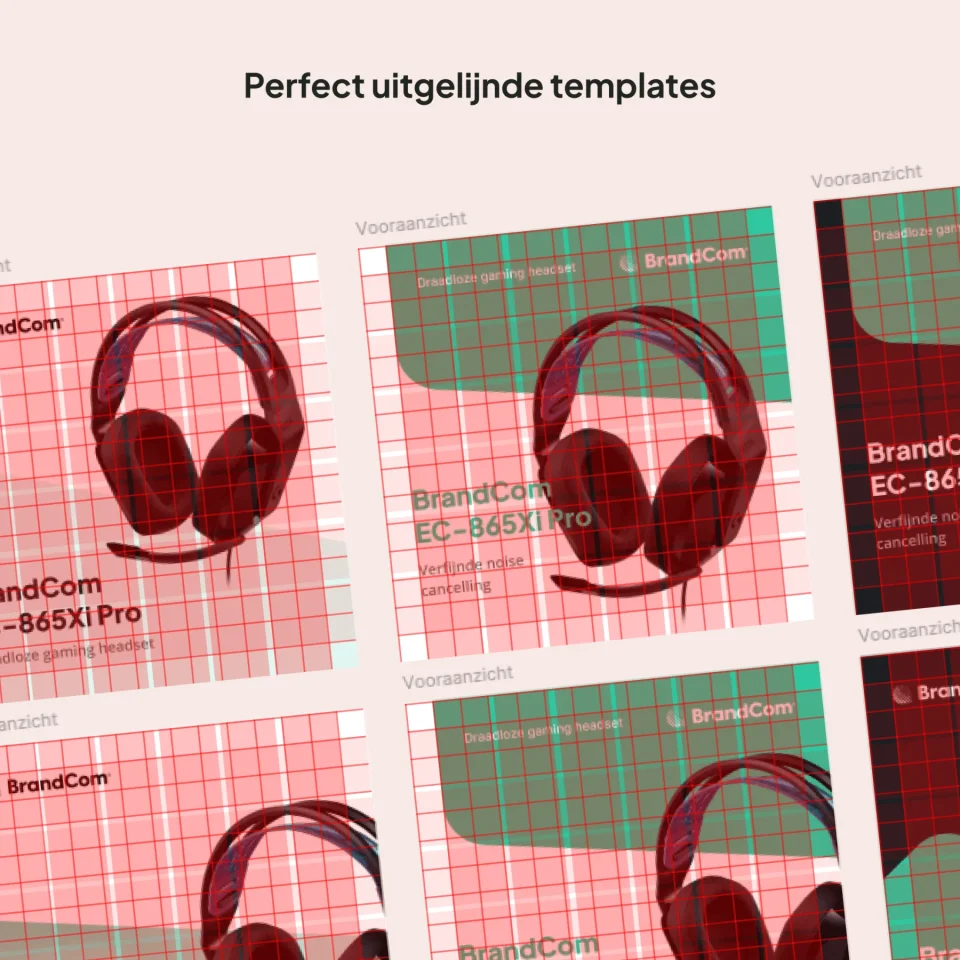
A good template always starts from the visual blueprint of the product group. First you determine which image roles are fixed, then you translate those into a reusable structure. Not the other way round. If you make a template first and only then think about what content should go in it, you usually end up with a neat structure without strong decision logic.
For teams that make lots of listing images, template flows are especially valuable if they support release behaviour. They should make it easier to build sets faster, apply variations in a controlled way and carry out reviews faster. As soon as they stop doing that, simplifying is often smarter than expanding.
For more on that topic, read on in creating listing templates. This page deliberately stays focused on bulk production of the images themselves.
Using 3D renders and AI lifestyle images without quality leaks
3D renders for product images and AI lifestyle images for listings can speed up production enormously, but only if they are part of the same quality logic as the rest of your image flow. As soon as they are used as standalone accelerators, variation grows faster than control.
With 3D, the strength lies mainly in reuse. If you need lots of variants, packaging updates or multiple image angles, a strong 3D base can save a lot of time. But then material, scale, light and perspective must be monitored closely. Otherwise you do get scale, but not credible output.
With AI lifestyle images, the gain lies mainly in context variation and fast preselection. You can create lifestyle images at scale faster and test creative directions faster. At the same time, a hard precondition applies here: every go-live requires a human check on realism, brand fit and implicit claims. Without that step, you buy speed with extra risk.
In practice, a hybrid model works best. Use 3D and AI for speed, variation and production support, but keep the final selection and the quality bar in human hands. That stops an acceleration layer from later turning into a repair stream.
If 3D carries a lot of weight in your product group, 3D renders is the logical companion. For product groups where texture and realism weigh more heavily, product photos often remain a necessary foundation.
Quality control before going live: clear rejection criteria
Quality control only really works if teams know in advance what gets an image rejected. Loose feedback rounds without a fixed bar make production slower, because the same discussion starts again in every batch. If you create bulk visuals, you therefore need not only to produce at scale, but also to reject at scale.
A strong quality gate does not just look at design neatness. The core questions are whether the product is immediately understandable, whether the relevant difference is shown clearly enough, whether the visual does not create the wrong expectation and whether the set fits the agreed channel logic. Those are commercial criteria, not just aesthetic ones.
Also important: rejection must happen early enough. If basic problems only surface just before publication, the whole batch has become more expensive than necessary. That is why the strictest check should not only sit at the end, but precisely at the moments where correction is still relatively cheap.
Teams that set this up well often notice that overall feedback gets faster, even though the bar feels stricter at first. That is because clarity delivers more speed than non-committal flexibility.
KPIs for bulk production of product images
The best KPI set for product image quality control is compact. The more dashboard signals you try to follow, the greater the chance that teams measure without really steering. For bulk image production, a few hard indicators work better, provided you decide in advance which action follows when the threshold is crossed.
First-pass approval rate shows whether the briefing, blueprint and template instructions are strong enough. Rework ratio shows how much repair work your system causes. Visual cycle time shows whether the batch flow is actually getting faster. Content mismatch rate shows whether visuals and expectations still match after going live.
The most important thing is not the metric itself, but the discipline around it. If a KPI crosses the threshold, a concrete intervention must follow in the briefing, image block, variant rule or review bar. Without that link, a KPI meeting mainly becomes a look back, while what you actually need is a steering tool.
| KPI | What it reveals | Action when exceeded |
|---|---|---|
| First-pass approval rate | Whether briefing and blueprint are strong enough for production | Tighten input thresholds and block definitions |
| Rework ratio | How much repair work the current flow causes | Review gates, exceptions and handovers |
| Visual cycle time | Whether batch production is really getting faster | Look for bottlenecks per step and remove unnecessary variation |
| Content mismatch rate | Whether image and expectation match after going live | Adjust proof blocks, detail images or variant choices |
Frequently asked questions about creating product images in bulk
How do you know whether bulk production is really scalable? You see it as soon as volume rises without revision pressure, go-live delays and visual inconsistency shooting up with it. More output alone is no proof of scale; stable output is.
What is a good first step if the team has little time? Start with a small product group with lots of repetition and where image quality counts heavily in commercial terms. That is where you can see fastest which visual blueprint and which quality gates actually work.
Are creating product images in bulk and creating listing images in bulk the same thing? Not quite. Product images cover the full image production per product and product family. Listing images are a specific, conversion-focused part of that, with a stronger focus on scan logic and channel fit.
When do you use 3D instead of photography? Usually when variants, updates and reuse weigh more heavily than maximum texture fidelity in every asset. In many projects, a hybrid combination of both gives the best balance.
Can you set this up without a big team? Yes. Smaller teams in particular often benefit faster, because fixed image logic and few exceptions free up capacity straight away.
Conclusion: scalable product images call for tight image logic
At its core, creating product images in bulk is not about producing more files. It is about a system in which image roles, batch rhythm, variant choices and quality control fit together. Only then does visual output really get faster without you sacrificing quality.
For BrandMonks, the lever here lies in workable visual discipline: a clear blueprint per product group, smart batch production, controlled use of templates and, where relevant, 3D and AI as accelerators under strict review. That is the route to more output that also stays commercially useful.
Get this right and you do not just gain time. You also gain calm in production, better comparability between batches and more grip on the question of which images really contribute to conversion.
Read more about this topic in e-commerce content systems, creating listing templates and e-commerce content automation.
Want to translate this to your range and release planning? Book an intake call. We will then make concrete where your image production is being slowed down unnecessarily and which interventions deliver scalable gains fastest.

Melle Sikma
Helmsman
melle@brandmonks.nl